Spring Animations: Rendering Performance
What a spring is actually doing to the frame, and when CSS should stay in charge.
I wanted to understand spring animations beyond the usual “it feels bouncy” explanation. What is the browser actually updating? Why does one animation feel alive while another feels mechanical? And where does that nice physical feeling start to become expensive?
This research became a way to connect two things I care about in frontend work: the emotional feel of motion, and the lower-level rendering path that has to produce every frame.
What Makes It A Spring
A CSS transition usually says: move this value from A to B over a fixed duration, using this easing curve. A spring animation is different. It treats the value as a physical system trying to settle into a target.
The three controls I kept coming back to were:
- Mass: how heavy the moving value feels. More mass usually means slower acceleration and more inertia.
- Tension: how strongly the spring pulls toward the target. In some libraries this is called stiffness. More tension feels faster and more energetic.
- Friction: how much energy gets removed over time. This is often called damping. Less friction means more bounce; more friction settles sooner.
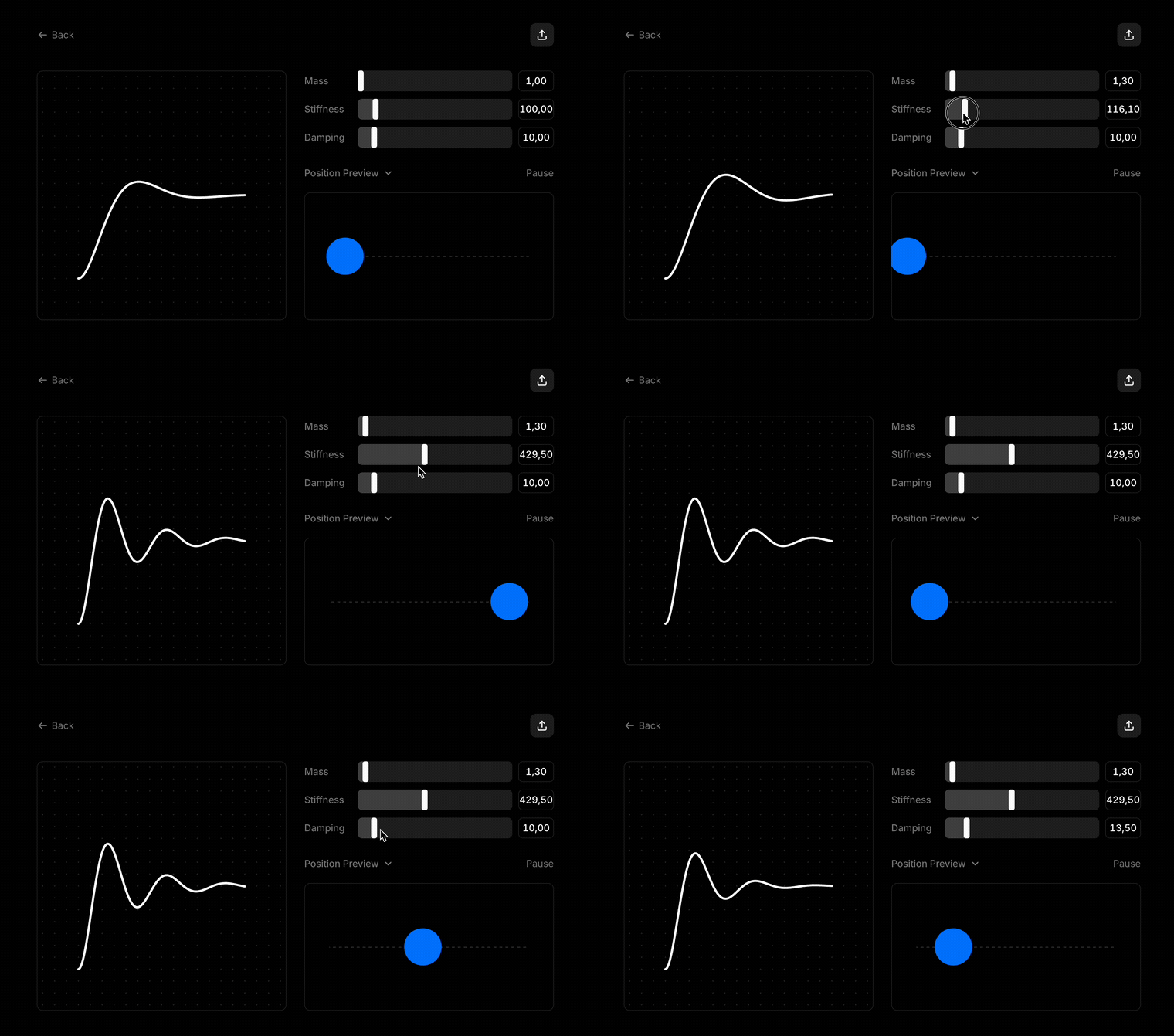
Velocity matters too, but I think of it less as a knob and more as the memory of the motion. It is the current speed of the value, and it is what makes interruptions feel natural: the next movement can continue from the energy that is already there.
The fun part is that a spring does not really care about a fixed duration. It settles when the system runs out of meaningful energy. That makes it useful for drag, release, snapping, toggles, drawers, and any interaction where the user may change their mind halfway through.
CSS Timing Vs Spring Motion
CSS transitions are still the right default for many interface details. They are simple, declarative, and very efficient when they animate compositor-friendly properties like transform and opacity.
The trade-off is that a CSS transition is mostly a pre-planned curve. It has a start, an end, and a duration. If the target changes midway through, the browser can transition again, but the motion does not naturally carry the same physical state forward.
A spring is better when the interaction has momentum:
- A dragged panel should keep some of its release velocity.
- A popover should feel like it has weight, not just opacity.
- A card returning to its place should overshoot only if the current energy warrants it.
- A gesture interrupted halfway should not restart from a cold, artificial zero.
That is where mass, tension, friction, and velocity stop being abstract words and start becoming product feel.
The Rendering Pipeline
To understand the cost of animation, I looked at the browser rendering path: JavaScript, style calculation, layout, paint, and compositing.

The important detail is that not every visual change asks the browser to do the same amount of work.
JavaScript is where we often compute the next value: a spring tick, gesture delta, scroll position, or state update. If this work takes too long, the frame is already in trouble.
Style calculation figures out which CSS rules apply after something changes. A class toggle, inline style, or custom property update can all make the browser revisit style.
Layout calculates geometry: widths, heights, positions, line breaks, and how elements affect each other. Animating layout properties like width, height, top, or left can be costly because the browser may need to re-measure part of the page.
Paint turns visual instructions into pixels. Shadows, large backgrounds, text, borders, and complex effects can make this phase heavier.
Compositing assembles already-painted layers. Animations that stay on transform and opacity can often avoid layout and paint, which is why they are usually the safest place to start.
Some diagrams split this even further into rasterization and final frame display. The exact labels change depending on how deep you go, but the practical question stays the same: which parts of the pipeline does this animation invalidate?
CSS First, JavaScript When Needed
I compared CSS transitions with JavaScript-driven animation because both have a place.
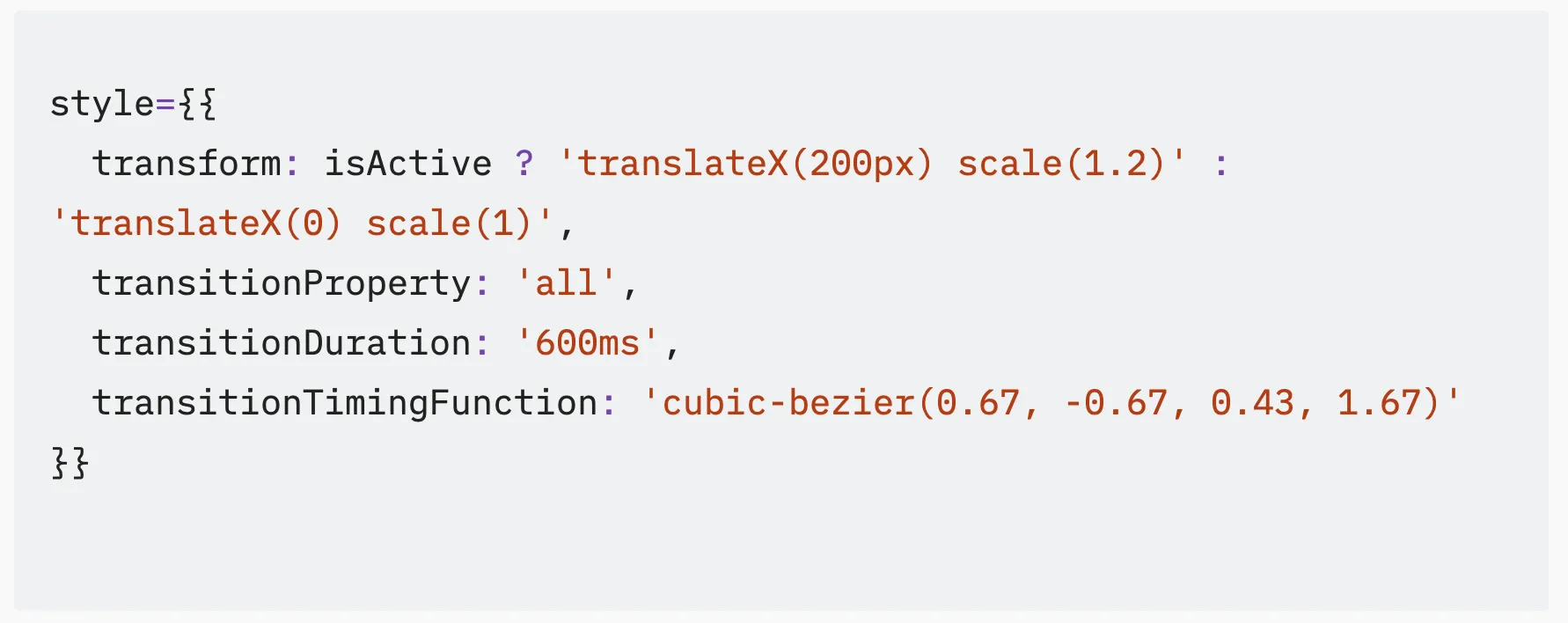
If the motion is simple and state-based, CSS is usually enough. A hover, a fade, a pressed state, or a small transform can stay readable in code and cheap for the browser.
JavaScript becomes useful when each frame depends on a simulation or on live input. That is where requestAnimationFrame matters: it lets the animation update in sync with the browser’s rendering loop instead of fighting it with timers.
Springs become useful when the value is not just moving from start to finish, but responding to current energy.
Choosing The Right Tool
One useful artifact from the research was a decision matrix for different animation approaches: CSS transitions, spring animation, requestAnimationFrame, and JavaScript timers.
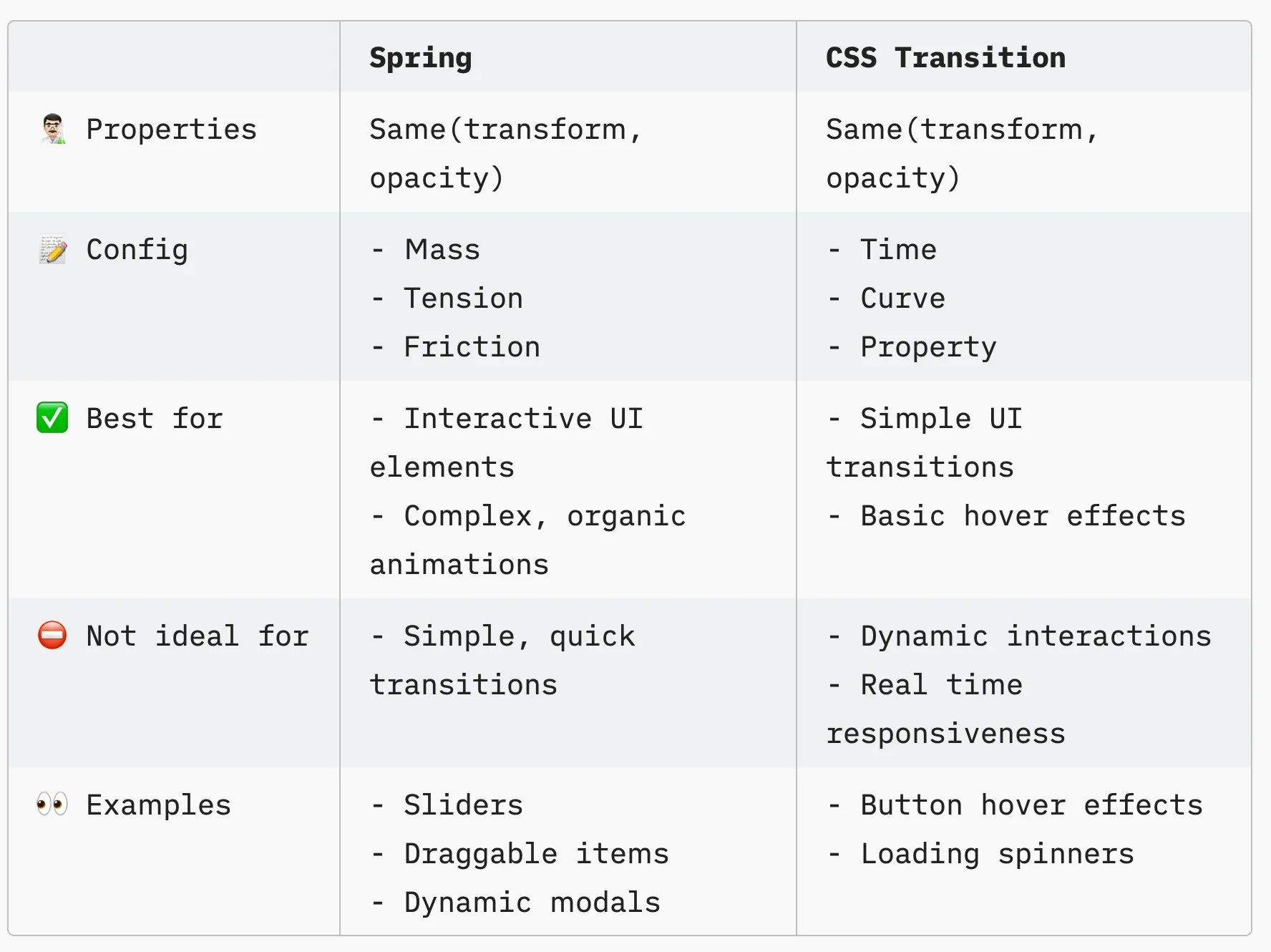
The point was not to crown a universal winner. It was to keep the choice honest:
- CSS transitions are great for simple, interaction-driven UI state.
- Spring animations work well when motion needs interruption, continuity, or physical character.
requestAnimationFramegives control when values are computed every frame.- Timers are the least natural fit for animation because they are not coordinated with rendering.
Frame Budgets
This naturally led to frame-budget thinking. At 60Hz, the browser has about 16.67ms to produce a frame. At 120Hz, that shrinks to about 8.33ms.
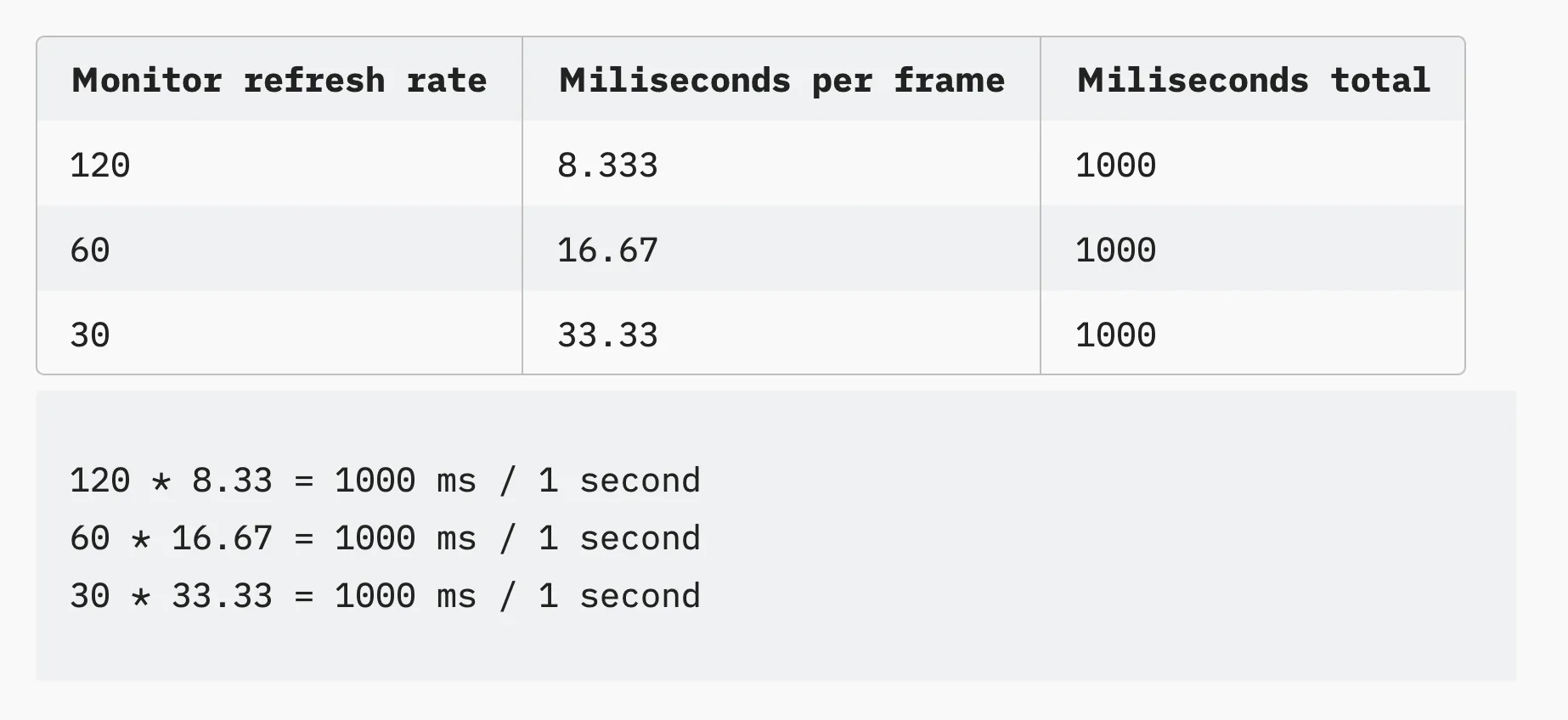
That constraint changes how I think about implementation. A tiny interaction can become expensive if it causes layout in a large tree, reads layout after writes, or asks the main thread to do too much during input.
What This Shows
This was a small research project, but it represents the kind of frontend work I enjoy most: turning low-level browser behavior into product decisions.
Good interface engineering lives in that overlap. You need the technical vocabulary to debug the pipeline, the product taste to choose the right motion, and the restraint to make things feel fast without making them feel theatrical.